
The Risks of Public Wi-Fi
Café and airport Wi-Fi is convenient, but it can expose what you do online. Here is how to use it safely.
Public Wi-Fi in cafés, hotels and airports is usually open to anyone, including attackers sitting at the next table.
What can go wrong
- Fake hotspots: an attacker creates a network with a believable name like “Airport_Free_WiFi” and watches everything that passes through it
- Snooping: on unencrypted networks, others can see sites you visit and any data sent without HTTPS
- Fake login pages: the “sign in to Wi-Fi” page may ask for your email password
How to stay safe
- Ask staff for the exact network name before connecting
- Only use sites that show HTTPS (the padlock)
- Use a reputable VPN on public networks
- Avoid banking or admin logins on public Wi-Fi; use mobile data instead
- Turn off automatic Wi-Fi connection on your phone and laptop
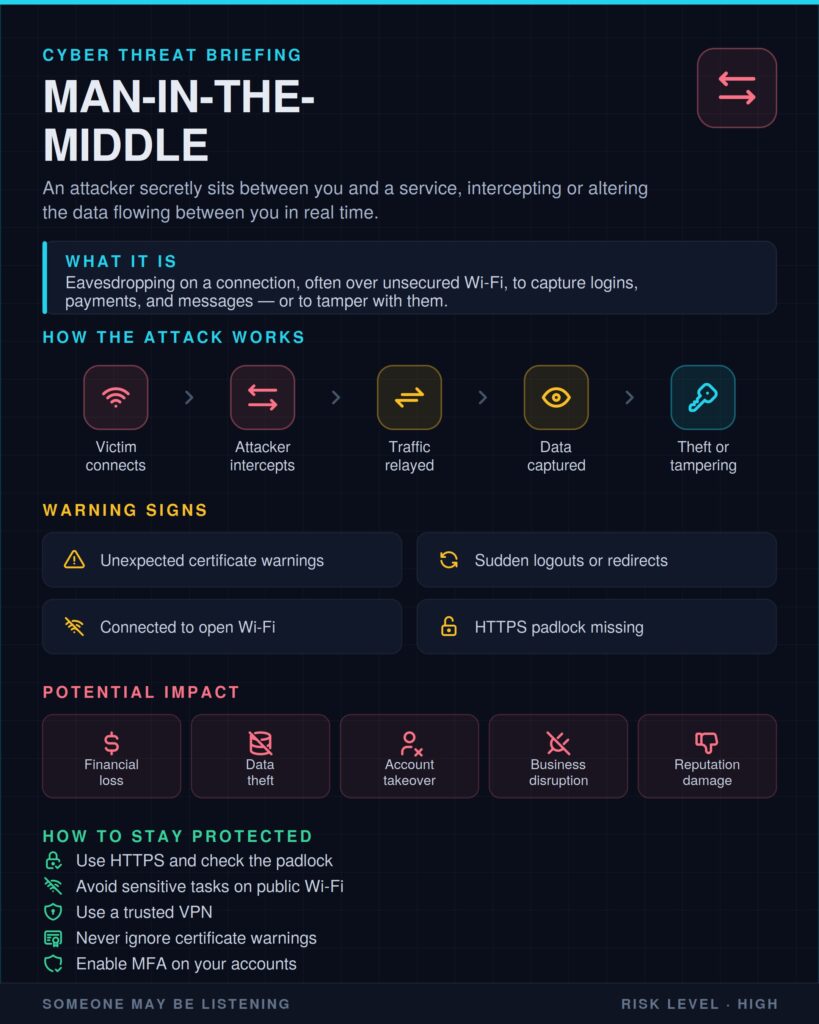
Treat public Wi-Fi as if someone is watching. Use a VPN or your phone’s data for anything important.