
Ransomware: What It Is and How to Prepare
Ransomware locks your files and demands payment. Good backups are the difference between a bad day and a disaster.
Ransomware is malicious software that encrypts your files and demands a payment, usually in cryptocurrency, to unlock them. Many groups also steal data and threaten to publish it.
How it gets in
- Phishing emails with infected attachments or links
- Stolen passwords for remote access (RDP, VPN)
- Unpatched software on servers and computers
Why paying is risky
Paying doesn’t guarantee your files come back, it funds more attacks, and you may be targeted again. Being prepared is far cheaper.
How to prepare
- Keep backups that ransomware can’t reach: offline or immutable copies
- Test restoring from backup at least every few months
- Update operating systems and software promptly
- Turn on 2FA for email and remote access
- Train staff to spot phishing
- Write a short plan: who to call and what to switch off first
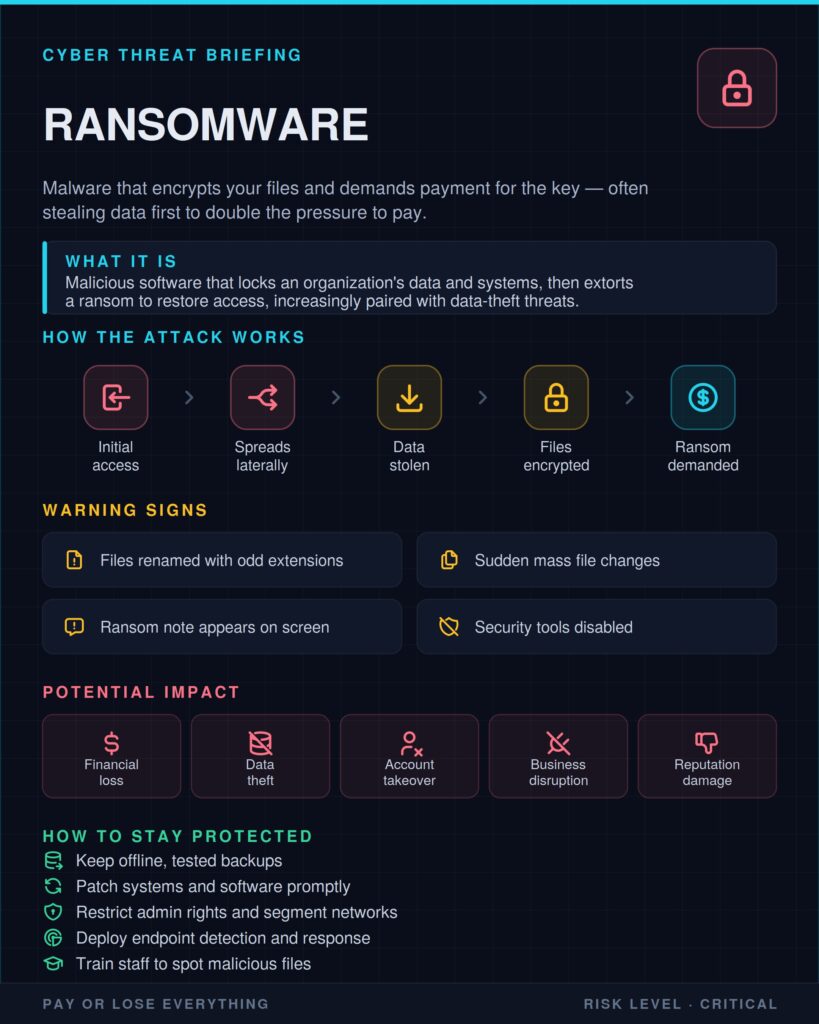
Offline, tested backups are your best defence. With them, ransomware becomes an inconvenience, not a catastrophe.